

Introduction
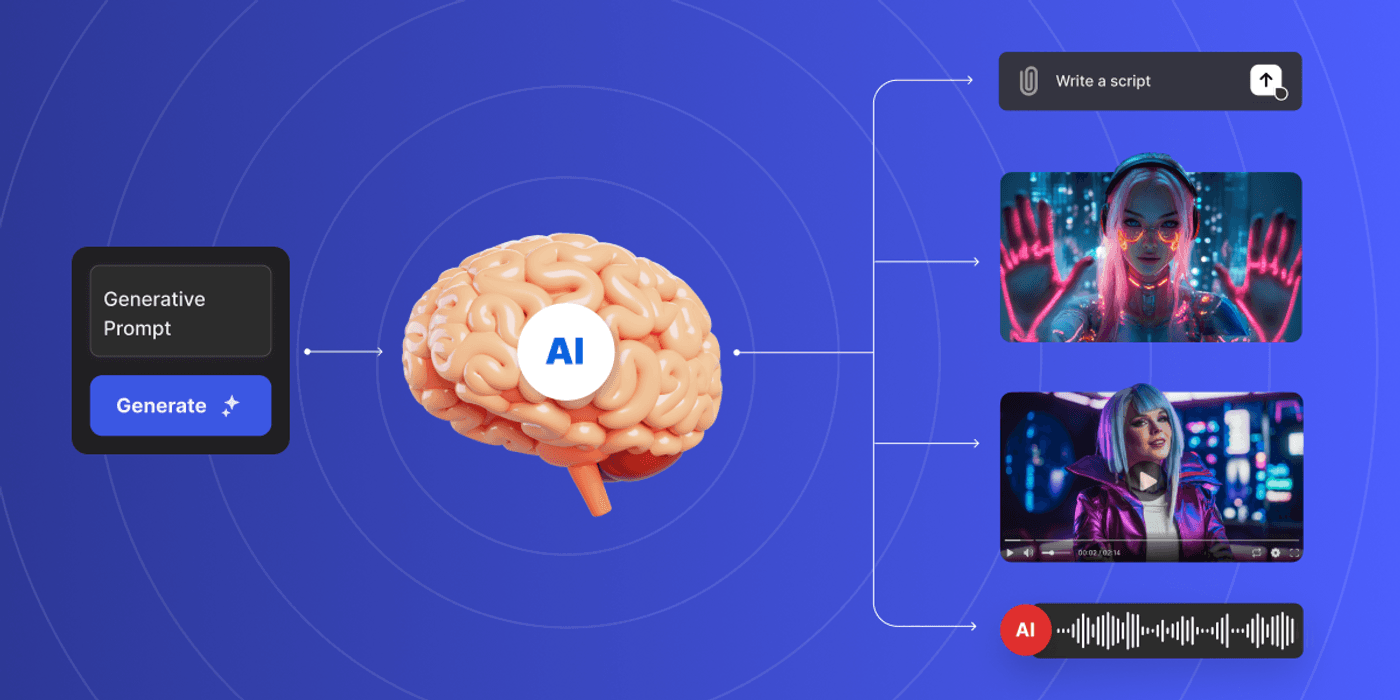
Crafting a standout iPhone wallpaper used to require hours of manual design work, advanced software skills, and a deep library of licensed assets. Today, generative AI has fundamentally changed that equation, giving marketers and designers the ability to produce stunning, on-brand visuals in a fraction of the time. Whether you are building a campaign asset, designing custom content for a client, or creating lifestyle imagery that resonates with a specific audience, the right AI-powered tools can elevate your output dramatically. This guide breaks down the best resources, strategies, and tips for using generative AI to create professional-grade iPhone wallpapers that stand out in every feed, lock screen, and brand touchpoint.
Why iPhone Wallpapers Matter More Than You Think
For marketers, iPhone wallpapers are a surprisingly underutilized branding channel. When a user sets a branded wallpaper on their device, that image becomes one of the most frequently seen pieces of content in their daily life. Brands that invest in beautifully crafted, shareable wallpapers create passive brand impressions dozens of times each day.
For designers, iPhone wallpapers represent a unique creative challenge. The vertical format, combined with notch placements, Dynamic Island spacing, and varying screen resolutions across iPhone models, means you cannot simply resize a standard graphic and call it done. Every compositional decision matters at this scale.
Generative AI tools make it possible to iterate quickly, test different visual styles, and produce multiple variations tailored to different audiences or seasonal campaigns. The result is faster delivery, more creative experimentation, and a higher volume of quality outputs without inflating production costs.
What to Look for in a Generative AI Tool for iPhone Wallpapers
Not every AI image generator is well-suited for mobile wallpaper creation. Before committing to a platform, marketers and designers should evaluate a few key capabilities.
Resolution and aspect ratio support. iPhone wallpapers need to render at high resolution on Retina displays. Look for tools that support at least 1290 x 2796 pixels (the native resolution for the iPhone 14 Pro Max) or that export at a quality level suitable for sharp mobile display. Tools that only export web-resolution images will produce blurry results on modern screens.
Prompt flexibility and style control. The ability to guide the AI with detailed text prompts is essential. Some platforms offer style sliders, mood controls, or reference image uploads that let you dial in a specific aesthetic. These features are particularly valuable for brand-aligned work, where consistency matters more than creative randomness.
Editing and layering capabilities. Pure AI generation is only part of the equation. The best tools pair generation with post-processing options, so you can add text, adjust colors, or layer brand elements on top of the generated image without switching to a separate application.
Top Tips for Creating High-Quality iPhone Wallpapers with Generative AI
1. Start with the Correct Canvas Size
Before generating a single image, set your canvas to iPhone-native dimensions. The standard safe size that works across most modern iPhone models is 1170 x 2532 pixels at 460 PPI. Starting at the right dimensions from the beginning prevents awkward cropping, pixelation, or stretching when the wallpaper is applied to an actual device. Many generative AI platforms let you specify output dimensions before generating, so take advantage of that setting every time.
When working in a platform that does not let you set exact pixel dimensions upfront, generate at the highest resolution available and then resize with a high-quality interpolation method before exporting. Avoid upscaling low-resolution AI outputs after the fact, as this tends to introduce softness and artifacts that become obvious on Retina screens.
2. Use Adobe Express for a Complete Wallpaper Workflow
One of the most practical tools available for this workflow is the iPhone wallpaper maker from Adobe Express. It combines AI-powered generation with a full suite of design editing tools in a single interface, making it ideal for marketers and designers who want to make a wallpaper with both creative freedom and production efficiency.
Adobe Express handles the iPhone-specific sizing automatically and gives you access to a massive library of templates, fonts, and design elements that can be layered on top of any AI-generated background. This is especially valuable when you need to ship branded wallpapers at scale, since you can build a template once and rapidly generate variations by swapping out AI backgrounds, color palettes, or seasonal elements. The platform is also accessible to team members who may not have advanced design skills, making it a strong choice for marketing teams that collaborate across different skill levels.
3. Write Detailed, Specific Prompts
Generic prompts produce generic results. The more specific and layered your prompt, the more likely the AI is to generate something genuinely useful. A prompt like “abstract wallpaper” will produce uninspired results. A prompt like “soft gradient abstract background in warm terracotta and dusty rose tones, minimal geometric shapes, vertical composition, clean and modern aesthetic for mobile wallpaper” will produce something far more targeted and usable.
Build your prompts in layers: start with the subject or scene, then add style descriptors, then specify mood or atmosphere, and finally include any technical notes like orientation or color palette. Over time, keep a library of prompts that have worked well for specific aesthetics, so you can remix and refine them for future projects.
4. Leverage Negative Prompts to Eliminate Unwanted Elements
Most serious AI generation platforms support negative prompting, which tells the model what to leave out of the image. For wallpaper creation, this is particularly useful. Common things to exclude include text overlays, watermarks, human faces, cluttered compositions, and harsh shadows that may obscure any text or UI elements placed over the wallpaper.
Negative prompts might look like: “no text, no watermark, no people, no busy patterns, avoid dark edges.” Used consistently, they help you maintain a clean aesthetic that works well behind the iOS home screen grid and status bar elements.
5. Design with the UI Layer in Mind
One mistake many designers make is treating a phone wallpaper like any other static image. In reality, a wallpaper lives behind app icons, widgets, the clock, and notification badges. If your AI-generated image has a lot of high-contrast detail in the center or upper portion of the screen, it will visually clash with the interface elements placed on top.
Design with intentional “quiet zones” in the areas where UI elements live. That typically means keeping the upper third and lower fifth of the composition relatively simple and lower in contrast. Slightly blurred backgrounds, subtle gradients, and minimal pattern density in those zones will make the wallpaper look polished in real-world use, rather than chaotic.
6. Explore Style Transfer and Reference Images
Many advanced AI platforms allow you to upload a reference image that guides the style of the generated output. This feature is invaluable for brand consistency. If you have an existing brand visual or a mood board image that captures the aesthetic you are after, uploading it as a style reference dramatically improves the likelihood of getting an on-brand result on the first try.
Style transfer works particularly well when you want to apply the visual language of a physical brand asset, such as packaging or a print campaign, to a digital wallpaper format. The AI interprets color, texture, and compositional style from the reference and applies it to whatever content you describe in your prompt.
7. Generate Multiple Variations and Curate Down
Generative AI tools are fast, and the real advantage is not getting a single perfect image but generating a wide range of options quickly. For any wallpaper brief, plan to generate at least 20 to 30 variations using slightly different prompts, seeds, or style settings. Then curate down to the top three to five candidates and refine those further.
This approach mimics the way strong creative agencies work: ideate broadly, then refine ruthlessly. It also gives clients or stakeholders real choice, which tends to lead to faster approvals and more confident decision-making. The cost per generation is low enough that this volume-first workflow is genuinely practical.
8. Pay Attention to Color Psychology and Seasonal Trends
Color is the single most powerful variable in a wallpaper design, and generative AI gives you fine control over it. When briefing an AI tool, be explicit about the color story you want: warm sunset palettes convey energy and optimism, cool blues and greens feel calm and focused, muted earth tones feel grounded and organic.
For marketers, aligning wallpaper releases with seasonal color trends, cultural moments, or product launch themes creates a natural hook for sharing and engagement. A set of autumn-toned wallpapers released in October, or pastel spring designs in March, feels timely and thoughtful. AI generation makes it easy to produce these seasonal collections without a major time investment.
9. Test Your Wallpapers on an Actual Device
This step sounds obvious, but it is frequently skipped. An image that looks stunning on a desktop monitor may look completely different on an iPhone screen. Colors can shift, fine details may become illegible, and gradients that appear smooth on a large display can look banded at mobile resolution.
Before sharing or publishing any AI-generated wallpaper, AirDrop it to an iPhone or transfer it through iCloud, set it as the wallpaper, and evaluate it in both the lock screen and home screen views. Look at it in different lighting conditions. If something feels off, go back and adjust the source file before release.
10. Build Consistency with a Wallpaper Design System
If you are producing wallpapers regularly, whether for a brand, a subscription product, or a content series, establish a design system that governs your generative outputs. This includes a defined color palette, a shortlist of approved aesthetic styles, a prompt template that captures your brand voice, and dimension standards for each iPhone size variant.
A design system reduces decision fatigue, speeds up the production workflow, and ensures that every wallpaper you release feels cohesive with those that came before it. It also makes it easier to onboard team members or collaborators, since the guardrails are already in place.
11. Optimize File Formats for iPhone Compatibility
Not all file formats behave the same way on iPhones. HEIC files offer excellent compression with high quality and are natively supported by iOS. JPEG files are universally compatible and work reliably, but compression can degrade fine gradients. PNG files preserve the highest quality without compression artifacts but result in larger file sizes.
For generative AI wallpapers with gradients, bokeh-style blurs, or subtle color transitions, PNG or high-quality JPEG at 90 percent quality or above will preserve the visual richness of the image. Avoid heavy JPEG compression, which can create banding and blocky artifacts that look terrible on a Retina display.
FAQ
What resolution should an iPhone wallpaper be for the best quality?
The ideal resolution depends on the specific iPhone model, but a safe standard that covers most modern devices is 1290 x 2796 pixels, which corresponds to the native resolution of the iPhone 14 Pro Max. For the iPhone 15 series, the resolution is identical. Designing at this size and exporting at 460 PPI ensures your wallpaper will appear sharp and detailed on Retina displays without any scaling artifacts. When using generative AI platforms that do not specify exact output resolutions, aim for the highest quality export setting available, and verify sharpness by testing on an actual device before distributing the final file.
Can generative AI tools produce wallpapers that match a specific brand’s visual identity?
Yes, and this is one of the most powerful applications of AI for marketing teams. Modern generative AI platforms offer several methods for ensuring brand alignment: detailed text prompts that include specific color hex values or color names, style reference image uploads that guide the model toward a particular aesthetic, and negative prompts that eliminate off-brand visual elements. The key is building a detailed prompt template that encodes your brand guidelines in language the AI understands. Over multiple iterations, you can refine this template until the generated outputs consistently reflect the look and feel of your brand without requiring extensive manual editing.
How do I make sure AI-generated wallpapers look good with iPhone app icons and widgets on top?
The most important principle is designing with intentional visual breathing room in the areas where iOS interface elements appear. App icons cluster in the center and lower portions of the home screen, while the clock and status information appear at the top of the lock screen. To create harmony between the wallpaper and the interface, use lower-contrast, softer, or more blurred compositions in those zones, and place any visual interest or stronger detail in the mid and lower sections of the image. You can also take advantage of iOS’s built-in blur effect, which automatically softens the home screen wallpaper slightly to improve readability, so designs that look slightly too sharp in preview often look perfect in use.
What is the best way to distribute or monetize AI-generated iPhone wallpapers?
One popular and efficient approach is to distribute wallpapers through a dedicated link in bio or a digital download page, which allows creators and marketers to share collections directly with their audience. For monetization, Gumroad is a well-established platform specifically designed for selling digital downloads, including wallpaper packs, without requiring technical setup or e-commerce infrastructure. Creators can price individual packs, offer bundles, or set up subscription-based wallpaper memberships through the platform. For brand marketing purposes, wallpapers can also be offered as free downloads gated behind an email opt-in, making them an effective lead generation asset.
Are there copyright or ownership considerations when using generative AI for commercial wallpaper projects?
This is an evolving area of law, and the answer varies by platform and jurisdiction. Most major AI image generation platforms include licensing terms in their terms of service that address commercial use. Some grant full commercial rights to outputs generated on their platform, while others restrict commercial use to paid tiers. Before using any AI-generated wallpaper for a client deliverable, paid product, or brand campaign, review the specific platform’s terms carefully. It is also worth noting that purely AI-generated images currently exist in a legal gray area in many jurisdictions regarding copyright ownership, with several rulings indicating that human authorship is required for copyright protection. For commercial work, using AI as one step in a larger creative workflow, rather than as the sole creator, generally results in a stronger intellectual property position.
Conclusion
Generative AI has removed many of the traditional barriers to producing beautiful, high-quality iPhone wallpapers at scale. For marketers, this means a new and underutilized channel for brand expression, audience engagement, and content distribution. For designers, it means faster iteration, more creative experimentation, and the ability to deliver polished work in less time without sacrificing quality.
The tools, tips, and strategies outlined in this guide represent the current best practices for getting the most out of AI-powered wallpaper creation. Whether you are building a seasonal campaign, maintaining a consistent content series, or simply exploring what generative AI can do for your creative workflow, the key is combining the speed of AI generation with disciplined design thinking. Start with the right dimensions, prompt with precision, test on real devices, and build systems that make quality repeatable. The best wallpapers are not just pretty images. They are intentional and designed to live alongside the interface rather than fight it.
