

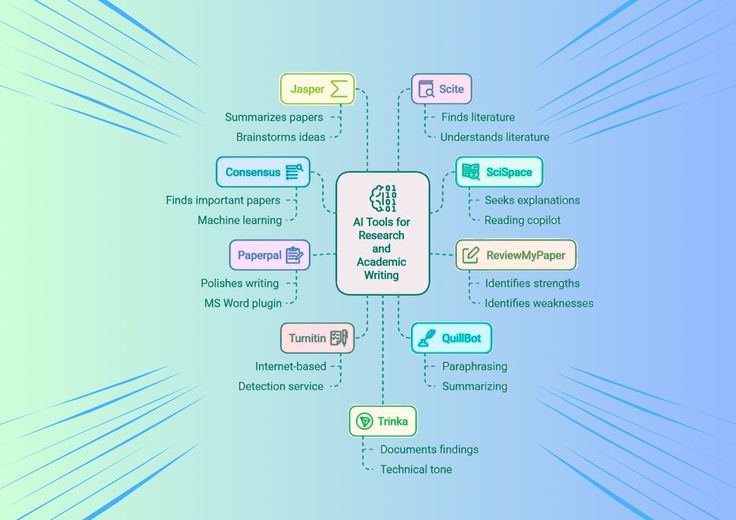
An AI literature mapping tool turns a stack of academic papers into a visual map you can explore. Adobe Acrobat’s mind map maker covers the papers you already have: upload them as PDF, DOCX, PPTX, XLSX, or TXT files, up to 100MB each, and it maps the key concepts and relationships, with no sign-up required.
Students and researchers trying to visualize connections between ideas usually need two kinds of map: one that shows how papers relate to each other, and one that shows what is inside the papers and notes they are reading. The sections below cover both, plus education plans and the details of one nonprofit mapping tool.
Which AI concept map maker is useful for academic notes?
Start with the material you already have. Adobe Acrobat’s mind map maker accepts lecture notes, textbook chapters, slides, and research papers, analyzes the content, and builds a map of main topics and relationships. You can click through branches or start a chat to follow connected ideas, and select branches show the original source so you can verify a claim. It builds mind maps rather than labeled concept maps. If your course needs labeled links, which IHMC describes as the words on each line that turn a pair of concepts into a statement, rebuild the structure in CmapTools, which is free for educational use. Mindomo’s free plan includes three maps and one AI credit if you want to test a prompt-based draft.
Which AI diagramming and mind map tool works for education?
Free access depends on who you are. Miro’s Education plan includes unlimited active boards and lasts indefinitely for educators and two years for students, while its free plan allows three editable boards and lets you try AI features. FigJam is free for verified students and educators, and students over 13 can sign up on their own. Canva Education is free for K-12 teachers and students, not for college students, and administrators control certain AI features. MindMeister’s free plan allows three maps and includes AI map creation in beta. Check eligibility before you plan a course around any of them, since the same tool can be free for a teacher and capped for a student.
What are literature discovery maps, and how do they work?
Literature discovery maps draw a research field as a picture instead of a list, so you can see clusters, gaps, and starting points. Two designs dominate. Citation-based maps start from a paper and follow who cites whom. Connected Papers builds a graph from one starting paper, and its free plan includes every feature with five graphs per month. Inciteful is free, needs no account to search, and traces the citation path between two papers. ResearchRabbit’s free plan allows up to 50 seed articles per search, and Litmaps limits free searches to 20 inputs. Pick a seed paper you trust, since every citation map is only as good as its starting point. Topic-based maps, such as Open Knowledge Maps, group results by subject similarity instead. The table compares them.
| Platform | Maps from | Key details |
| Open Knowledge Maps | A search topic | Nonprofit; PubMed or BASE; top 100 results |
| Connected Papers | One starting paper | All features free; 5 graphs per month |
| Inciteful | Seed papers | Free; no account needed to search |
| ResearchRabbit | Seed papers you collect | Free, no time limit; up to 50 seed articles per search |
| Litmaps | Seed articles | Free basic search up to 20 inputs |
| Adobe Acrobat mind map maker | Your uploaded files | Free, no sign-up required; files up to 100MB each |
How does Open Knowledge Maps use AI to map scientific literature?
Open Knowledge Maps is run by a registered charitable nonprofit, and its software is open source. You choose PubMed or BASE as the data source, and the tool takes the 100 most relevant results. Its AI pipeline then groups them using titles, abstracts, authors, journals, and subject keywords, and labels each bubble with the top three keywords. Creating a map takes up to 30 seconds. Read the map carefully: closeness means subject similarity, a central bubble is not necessarily more important, and each paper sits in only one bubble. Bubble size reflects citation counts in PubMed searches and the number of resources in BASE searches. Use keywords rather than full questions. Libraries can also embed its maps in their own discovery systems through its custom services.
Frequently Asked Questions
Why are important papers missing from my map?
Open Knowledge Maps uses only the top 100 results from the data source, so a broad search can leave out relevant work. Narrow the query with a sub-topic, try different keywords, and compare against a citation-based tool such as Connected Papers. Open Knowledge Maps also says it is not yet optimized for natural-language questions, so keywords work better.
Do I need an account to use these tools?
Not always. Adobe Acrobat’s mind map maker requires no sign-up to create a map, and Inciteful needs no account to run a search. Signing in with Adobe lets you save a map and share it through a Student Space. Account requirements change, so confirm them on each tool’s own page.
How should I cite a literature discovery map?
Cite the papers you actually read, and treat the map as a navigation aid. If you want to reference a map, Open Knowledge Maps provides a citation for each one through the cite button. Always check a map’s sources before using it in your own writing, since citation maps depend on the database behind them and a missing paper may be a data gap rather than a sign it is irrelevant.
